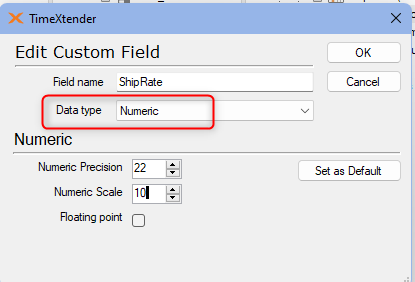
Override Data Type feature let you decide the data type for a certain field.
Example Scenarios:
- You have an Excel data source with some sheets that contains a field with only numbers. Even though it actually is a Item Id, it gets treated as a numeric value.
- You have a data source connection to a database with a datetime field that contains both nulls and dates lower than 1753-01-01.
In both cases, the Override Data Type feature may help. You can set up a general rule at the ODX data source, or edit a field in the data warehouse to change its data type.
Set up a general rule at ODX data source
- Right-click on an ODX data source => Override Data Types..
- Specify the Schema, Table, Field or Data type where this rule will be applied.
- Choose what data type you want to convert to.
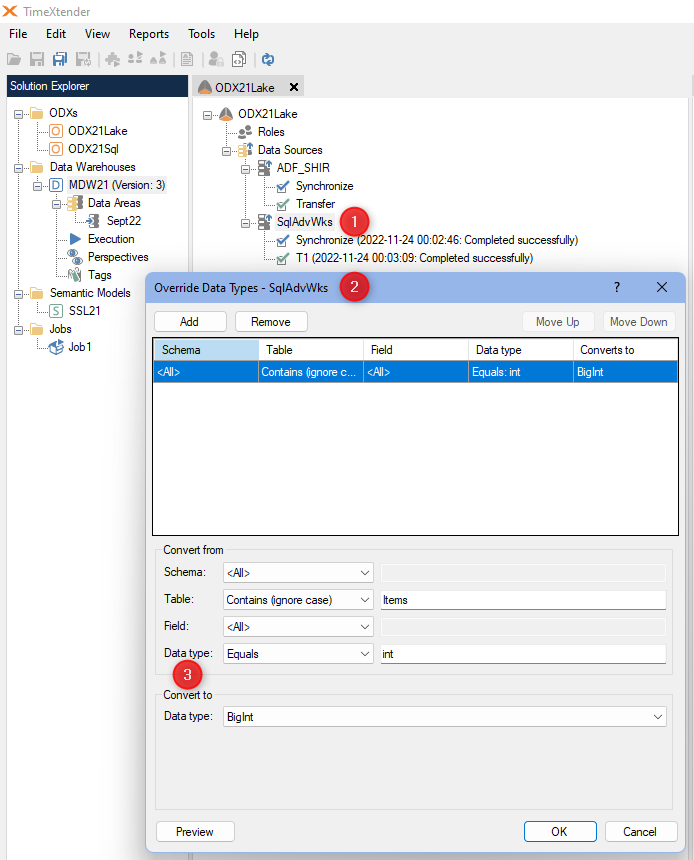
Note: The schema refers to the data source, not the one you created in this system.
Right-click on the ODX => Synchronize objects and run the Synchronize and Transfer tasks in the ODX data source.
Edit a field in data warehouse to change data type
Below is an example, explicitly changing data type of a field in data warehouse.